Aadhaar’s New Feature: No Need to Type Numbers Anymore, Share Your Info via QR Code
Aadhaar’s New Feature: No Need to Type Numbers Anymore, Share Your Info via QR Code
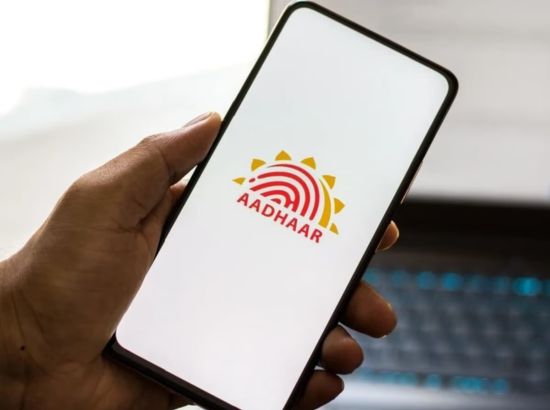
New Delhi, January 30 (2026): The Unique Identification Authority of India (UIDAI) has added a highly useful feature to its new Aadhaar app. Now, you won’t have to bother telling or typing your phone number or name to anyone. With the new app, you can securely share your contact information by simply showing a QR code.
What is the New ‘Share Contact’ Feature?
This feature converts your Aadhaar-linked name and mobile number into a digital QR code. When someone else scans this code, your details become available securely in their phone. It’s especially handy during meetings, events, or when meeting new people.
Step-by-Step Guide to Share Info via QR Code
If you want to use this feature, follow these steps:
-
Install the App: First, download the new Aadhaar app from Google Play Store or Apple App Store.
-
Log In: Use your Aadhaar number and registered mobile number to log in. You’ll need to do a face scan for security.
-
Set PIN: Create a 6-digit secret PIN to secure the app.
-
Services Section: On the homepage, go to the “Services” section below and click “More Services.”
-
Generate QR Code: You’ll find the “Share Contact” option here. Tap it, and your personal QR code will appear on the screen.
-
Share It: Another person can scan it with their Aadhaar app, or you can send it via WhatsApp/messages.
Why It’s Better for Security?
-
Accurate Info: Only the details registered in your Aadhaar record are shared, eliminating errors.
-
Privacy: No need to show your full Aadhaar card—just share what you want (name and number).
-
Digital Proof: Available only to verified users, reducing fraud risks.
Note: Remember, you can’t edit the info in this QR code. It will show only the name and number linked to your Aadhaar card.
Leave a comment
Related News









FACT News TV
View AllBreaking News
View All

LPU Jalandhar students Prashant Veer picked by CSK for 14.20...
December 27, 2025


Married woman shot at in Gurugram club for rejecting marriage...
December 26, 2025

Centre approves 3 new airlines after IndiGo fiasco: Al Hind...
December 25, 2025
Uddhav and Raj Thackeray Reunite: A New Chapter in Mumbai...
December 24, 2025
Advertisement

Editor’s Desk
View All

What led to the NDA victory in Bihar polls?
November 14, 2025

Punjab needs a comprehensive land-use policy
May 29, 2025